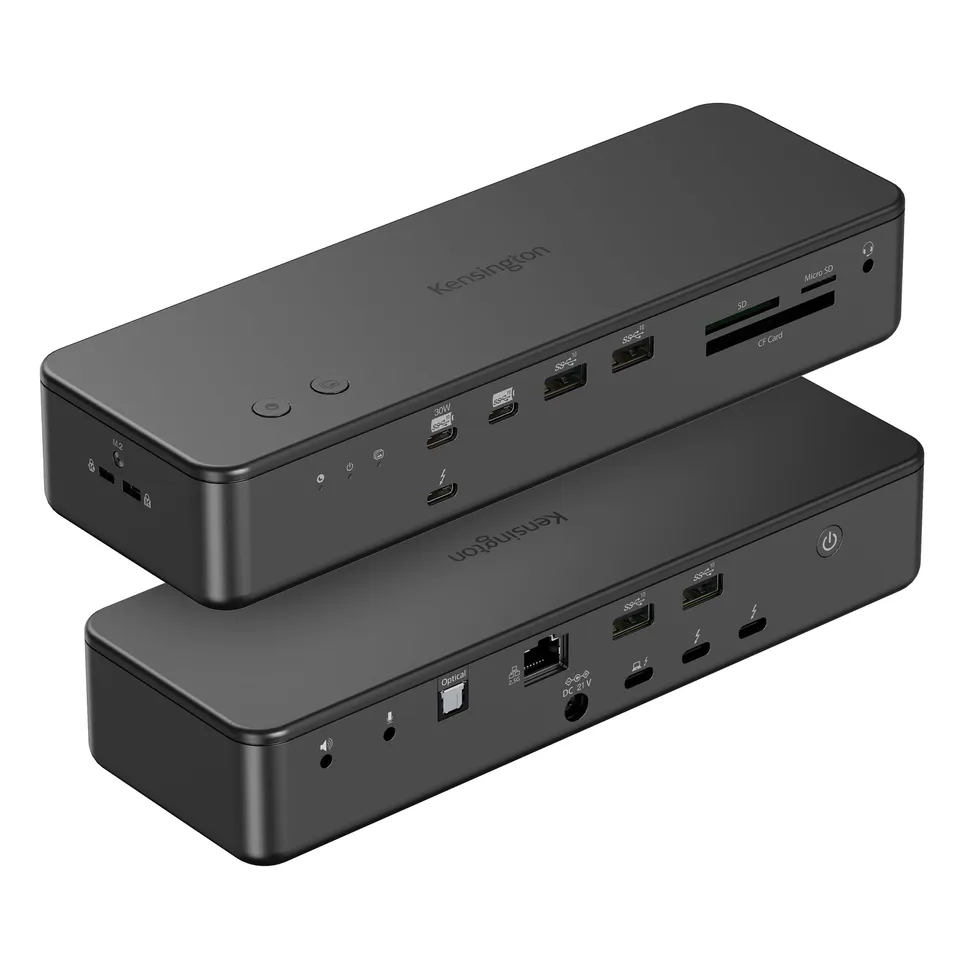
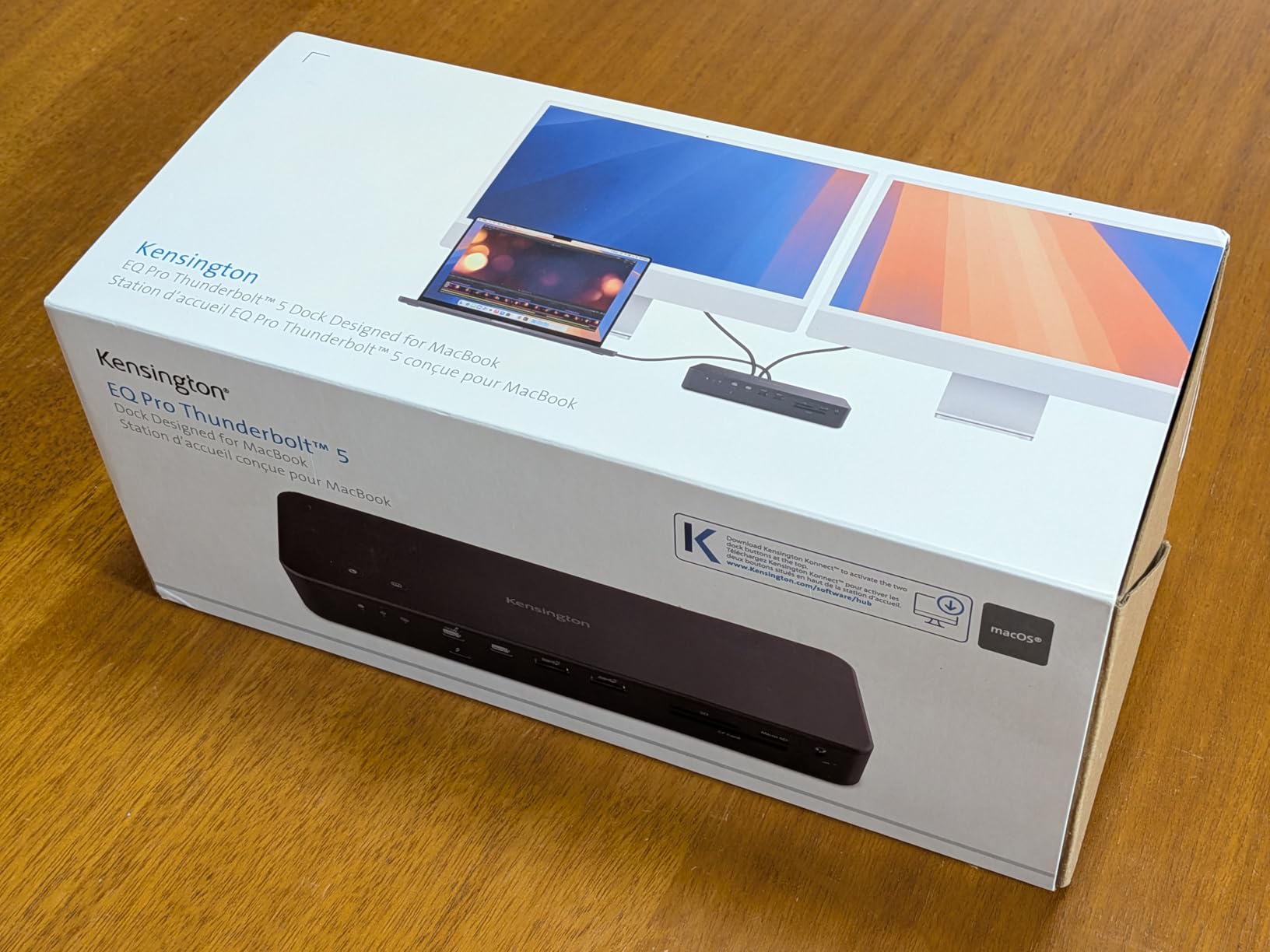
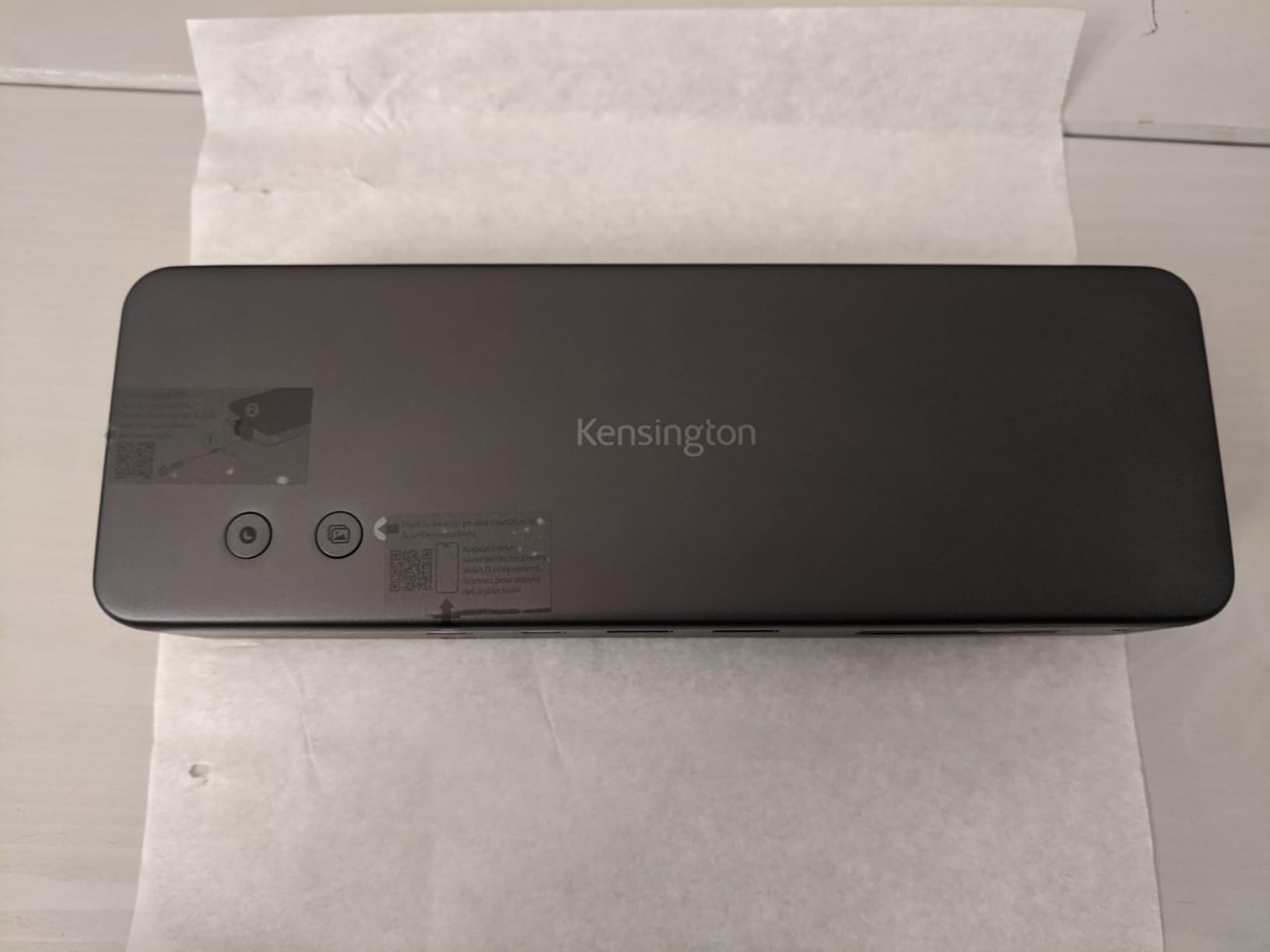
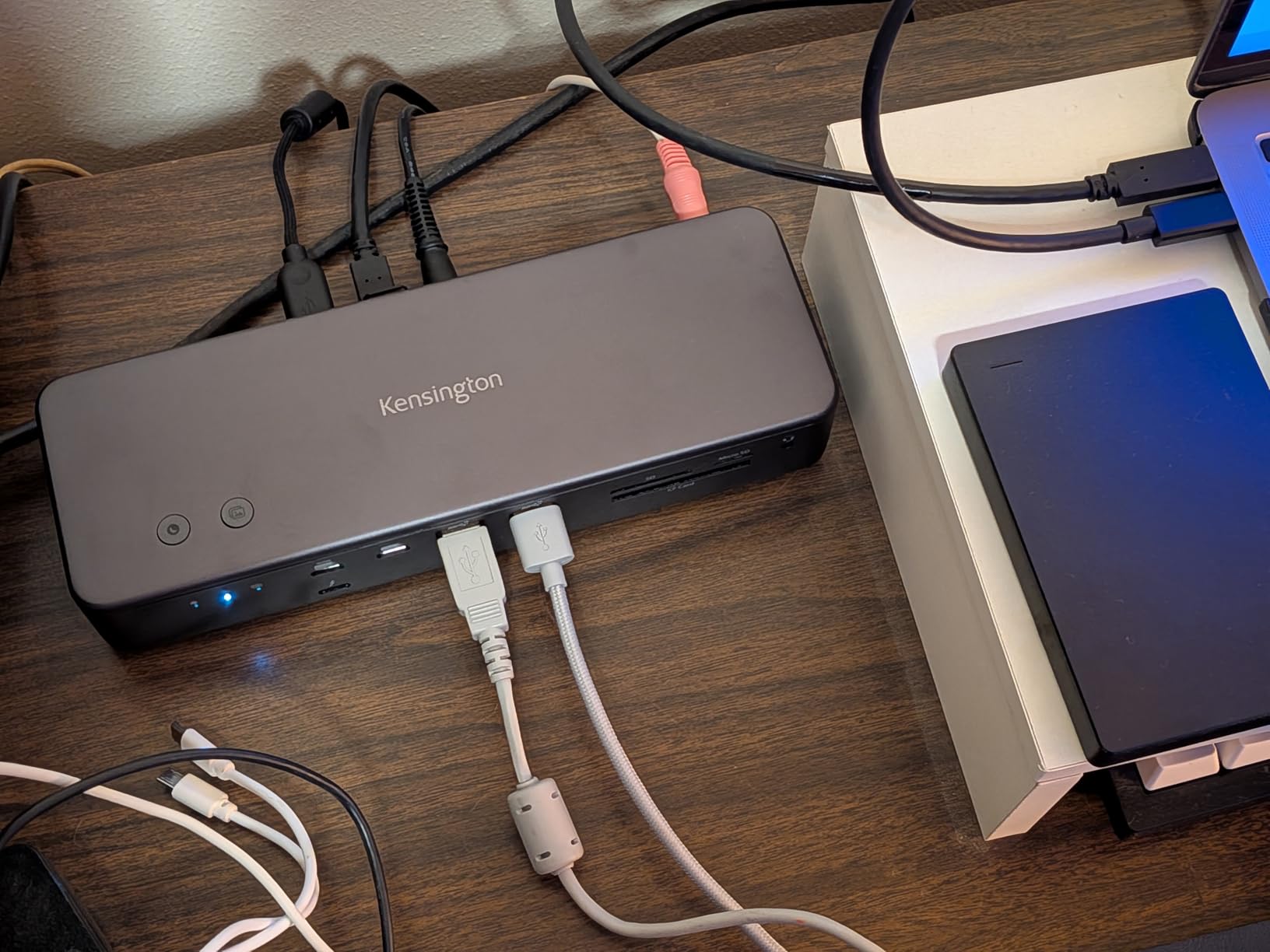
Kensington EQ Pro Thunderbolt 5 Dock for MacBook (K33612NA) – 140W PD, 80Gbps, M.2 SSD Slot, 19-in-1
4.2 (10)
$372.70$97.58
Buy the Kensington EQ Pro Thunderbolt 5 Dock for MacBook (K33612NA) online for $97.58 – a 19-in-1 docking station with 140W charging, 80Gbps data, and a lockable M.2 SSD slot, optimized for M-Series Pro/Max MacBooks.
In Stock
-
1
+
Get it in 3–5 business days.
21 people are viewing this item.27 sold today.Only 10 left in stock.
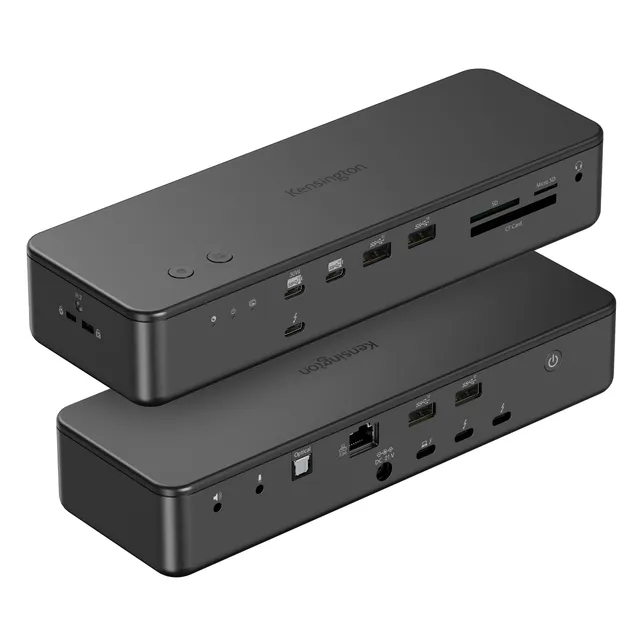
Kensington EQ Pro Thunderbolt 5 Dock Designed for MacBook (K33612NA)
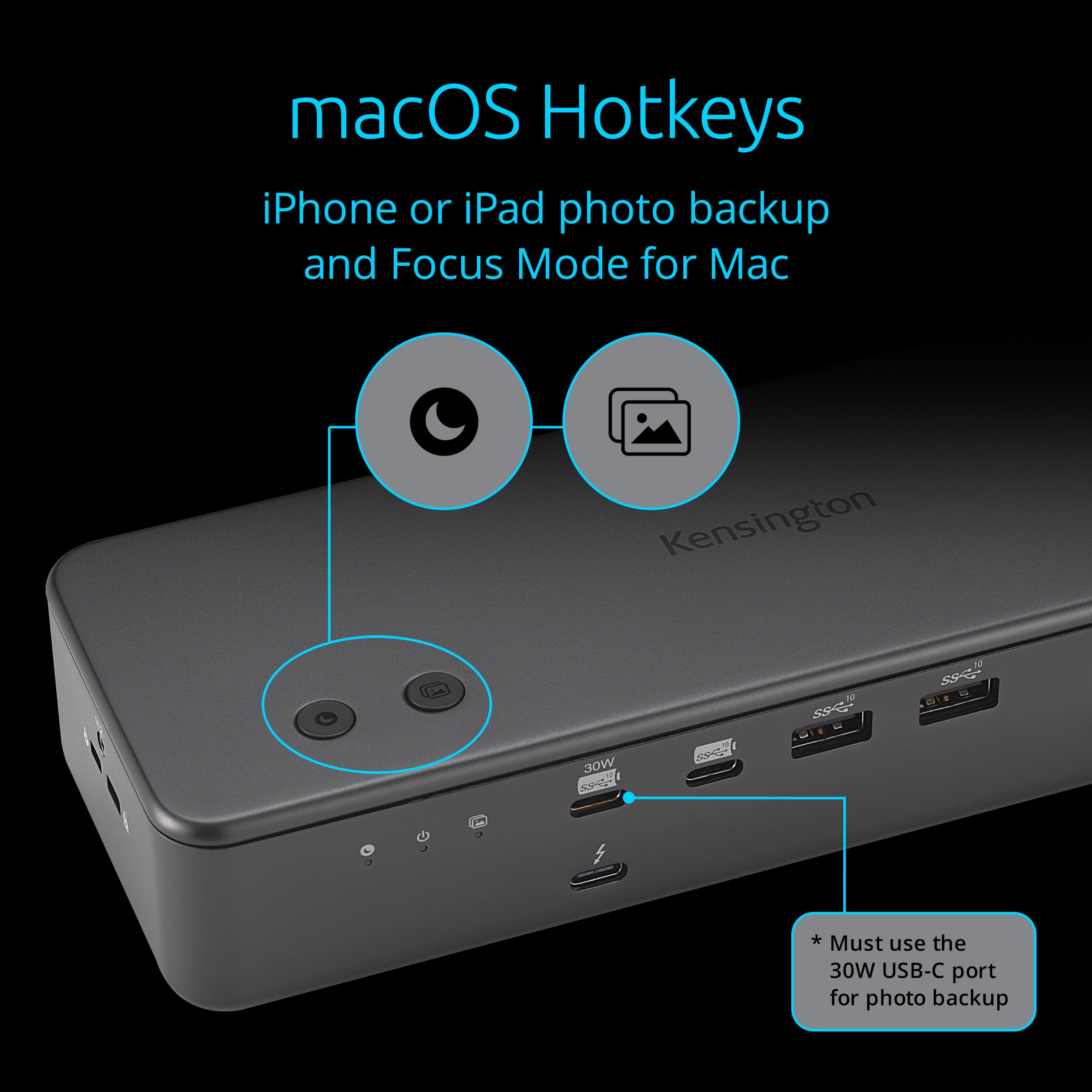
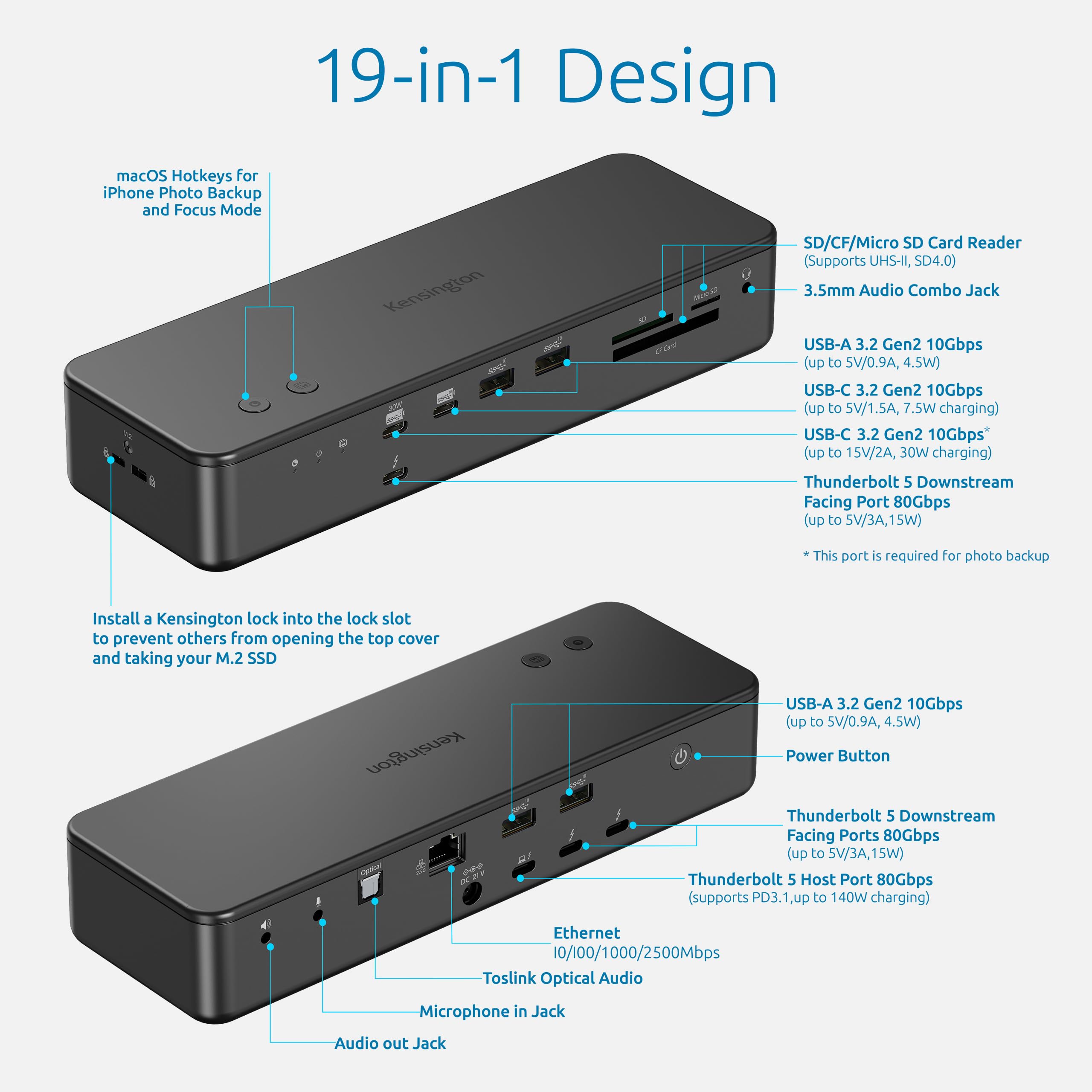
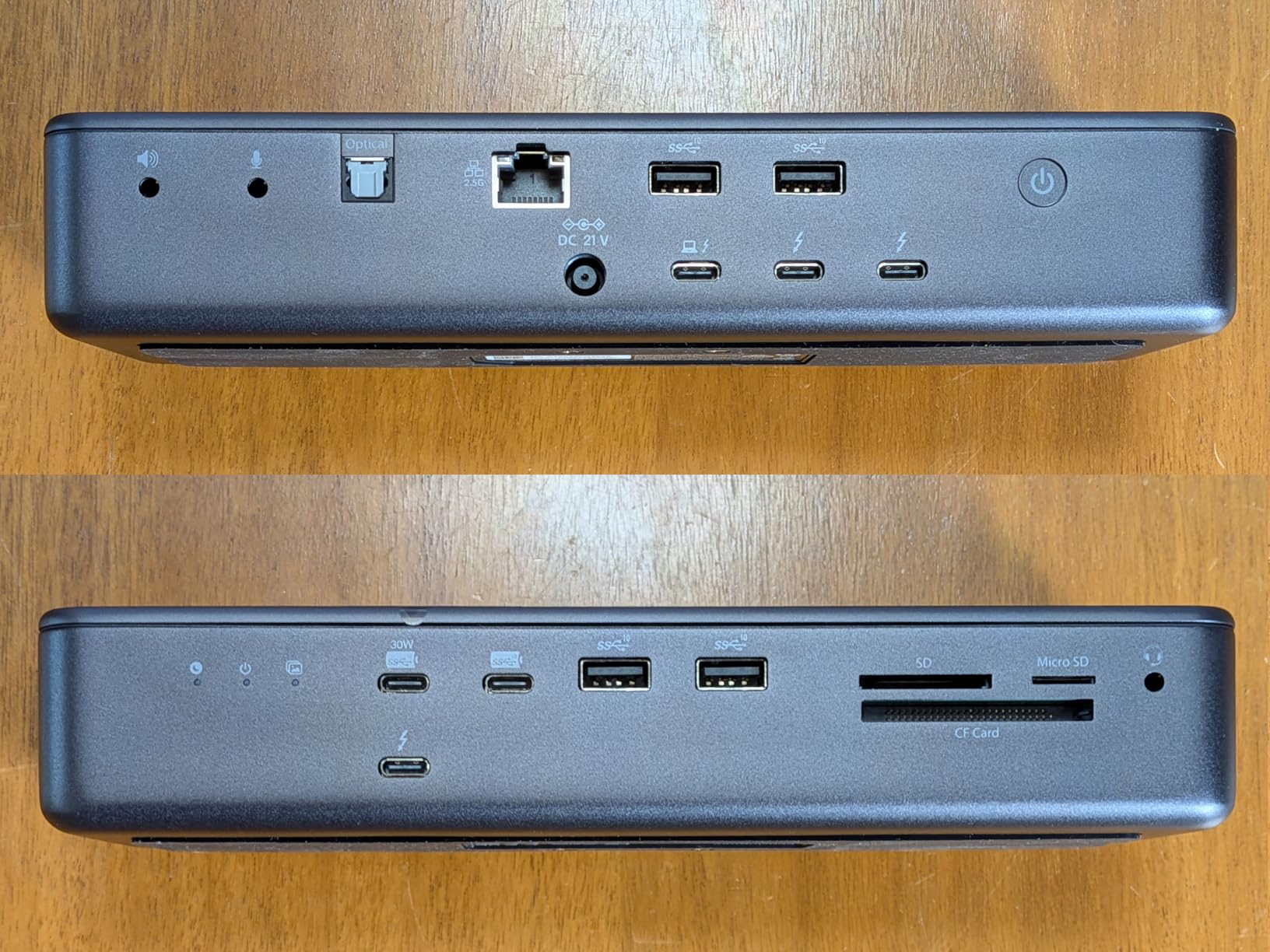
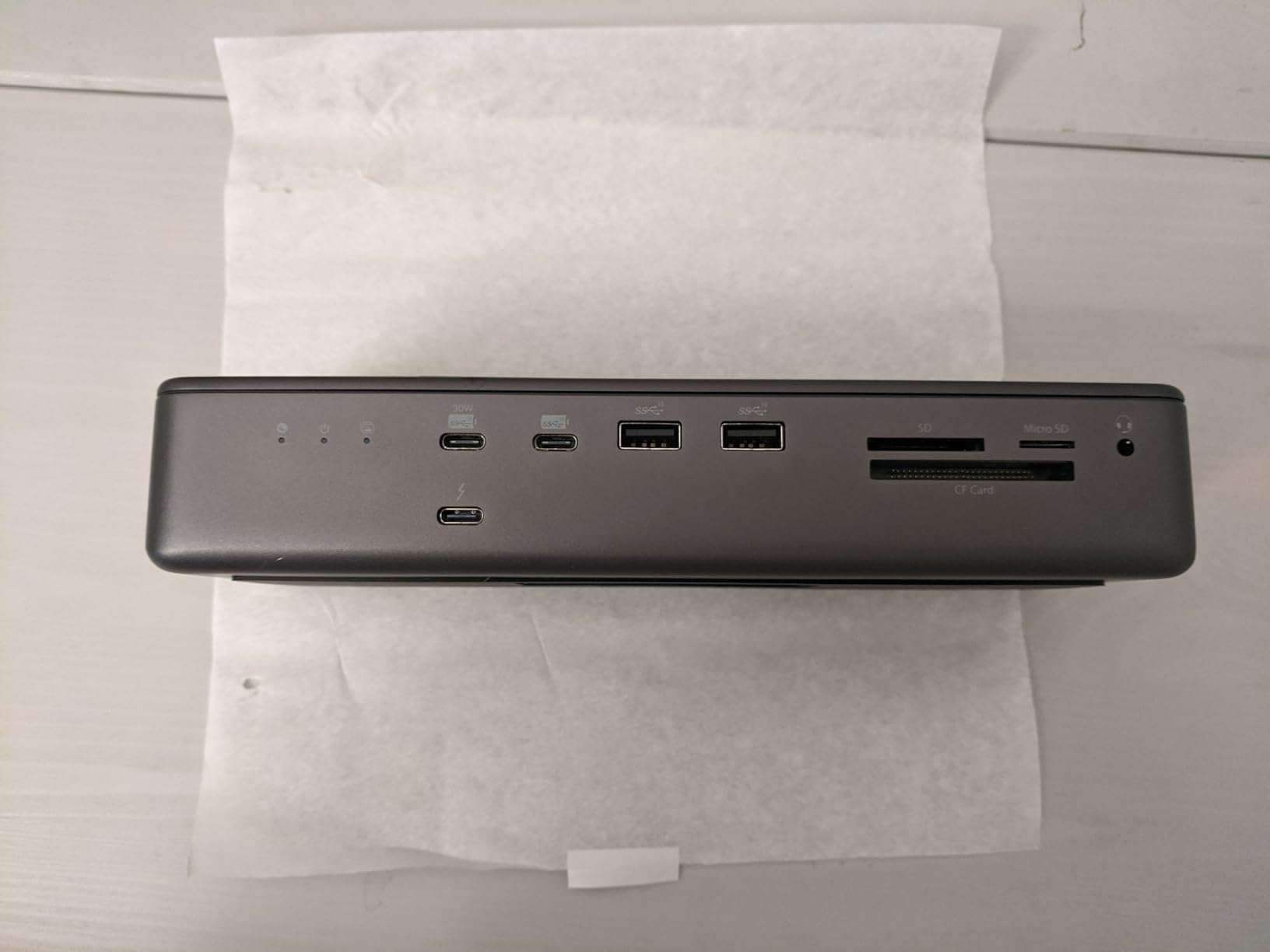
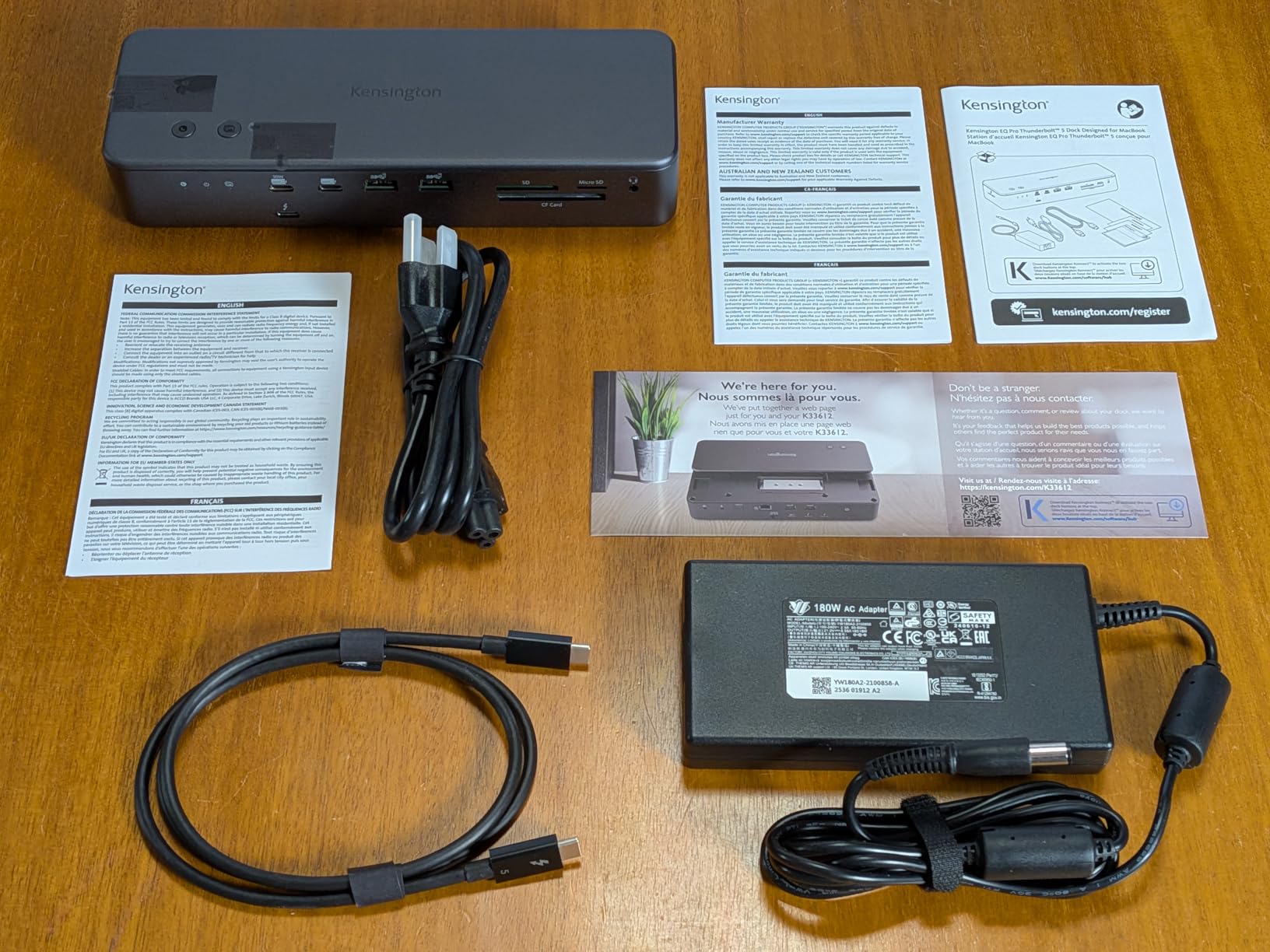
The Kensington EQ Pro Thunderbolt 5 Dock is the ultimate productivity hub for MacBook users with M-Series Pro, Max, and M4 chipsets. It delivers up to 80Gbps bi-directional bandwidth (120Gbps with Bandwidth Boost), supports dual 6K or single 8K monitors, and provides up to 140W Power Delivery. This 19-in-1 dock includes a built-in lockable PCIe M.2 SSD slot for quick storage expansion, triple card readers, and exclusive iPhone Photo Backup and Focus Mode buttons. At $97.58 (74% off the $372.70 compare-at price), it's a powerful investment for creative professionals.
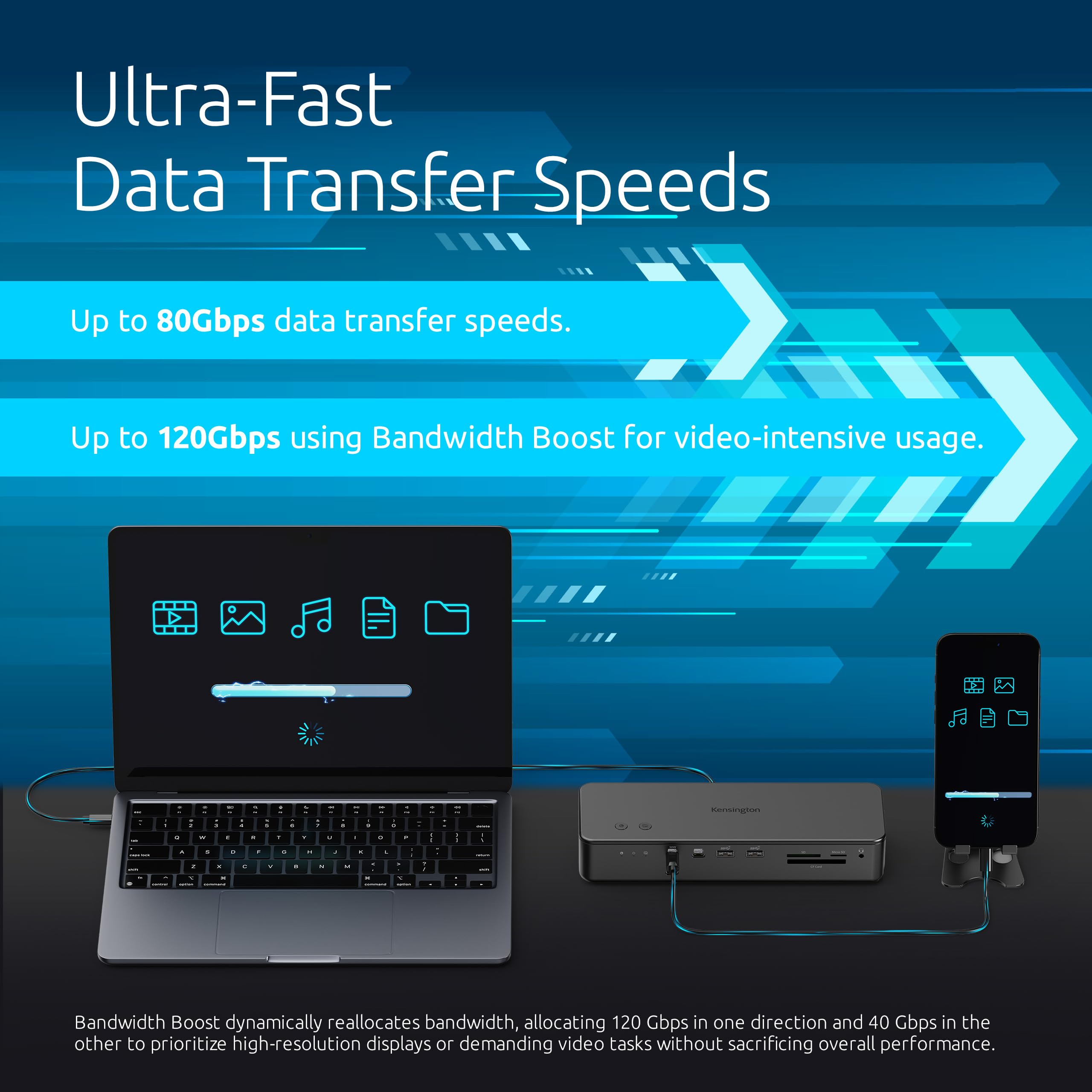
Data Transfer: Up to 80Gbps (120Gbps with Bandwidth Boost)
Display Support: Up to 1x 8K or 2x 6K @ 60Hz (M-Series Pro/Max/M4)
Compatibility: MacBook with M-Series Pro/Max/M4 chipsets, macOS 14.5 or later
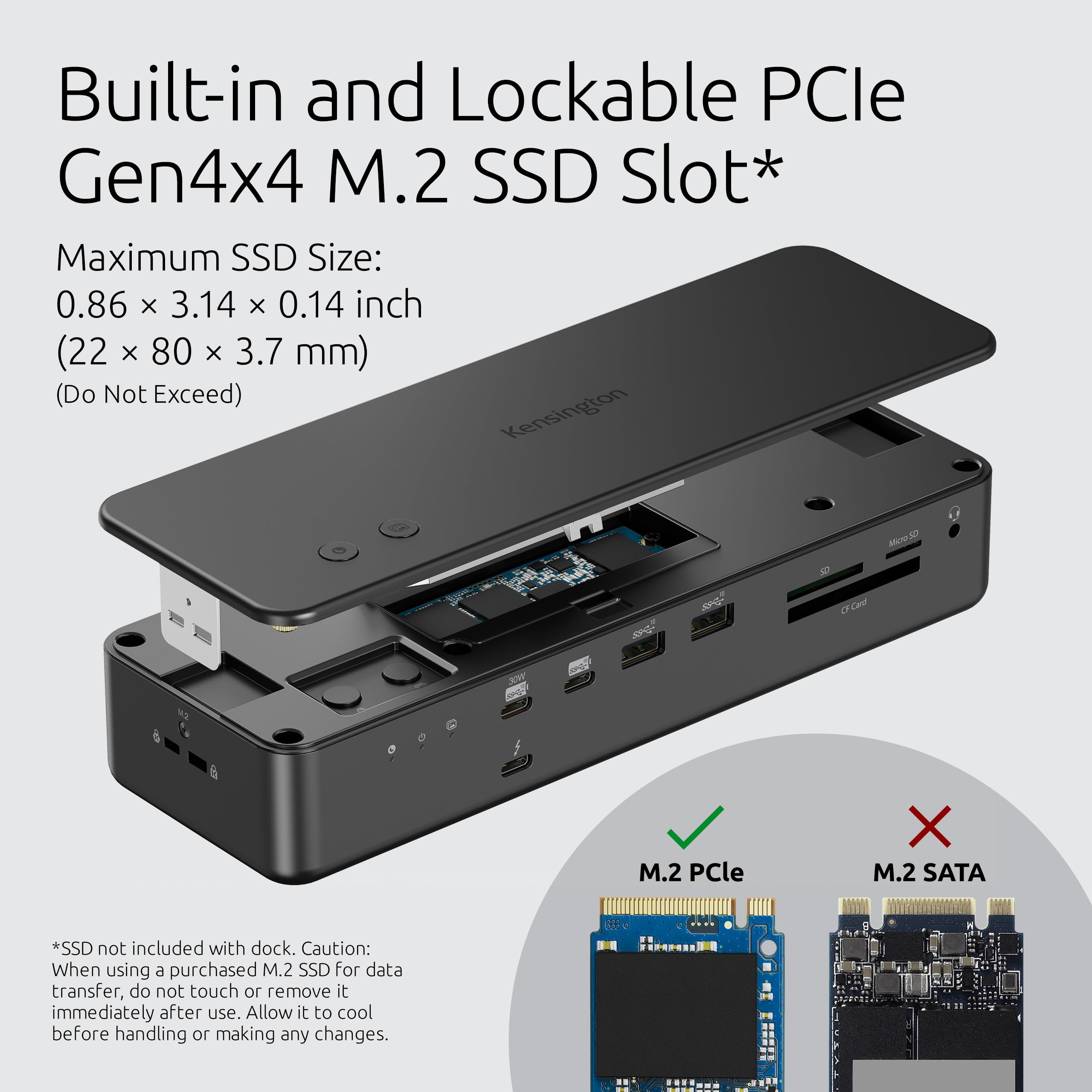
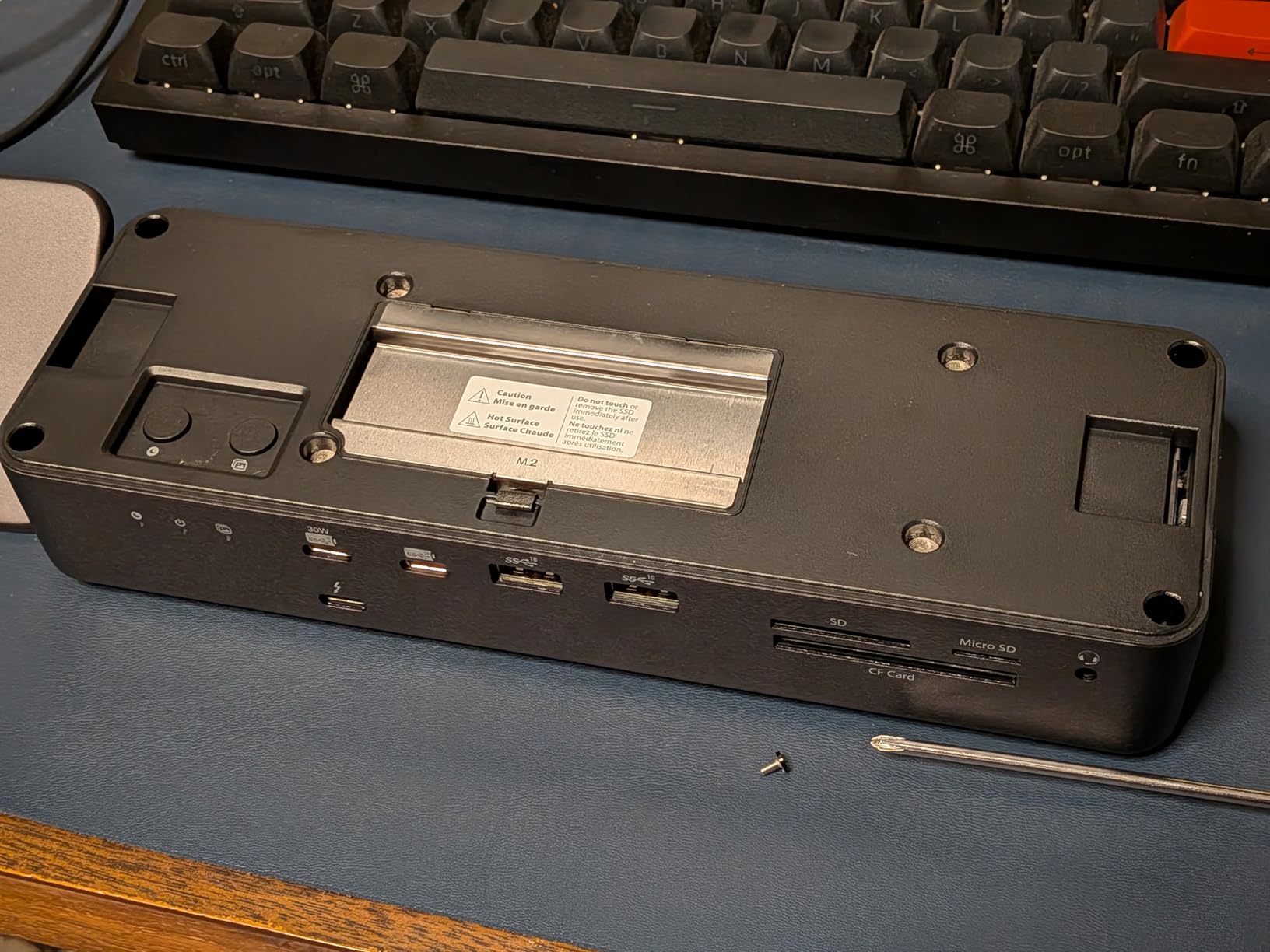
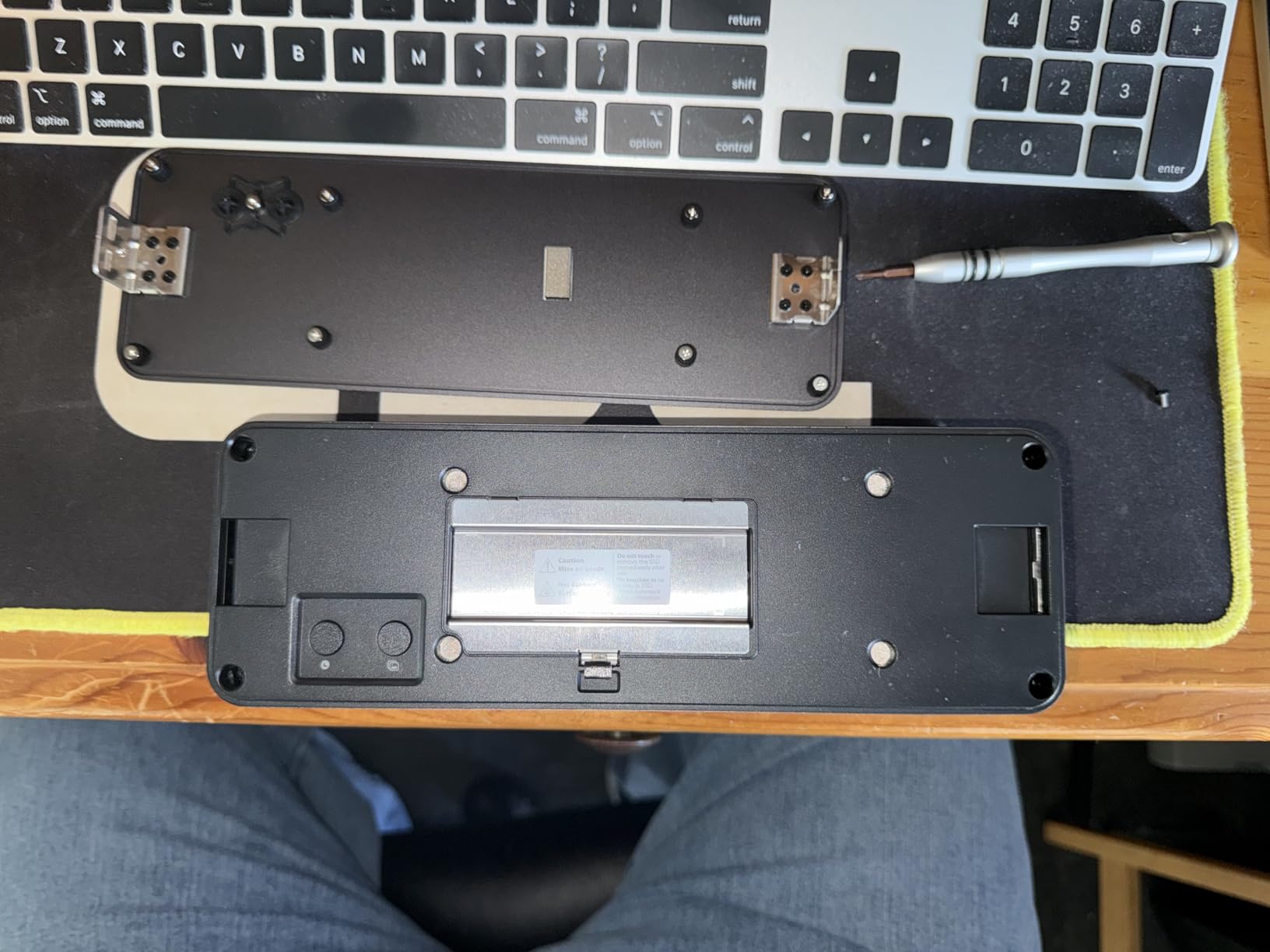
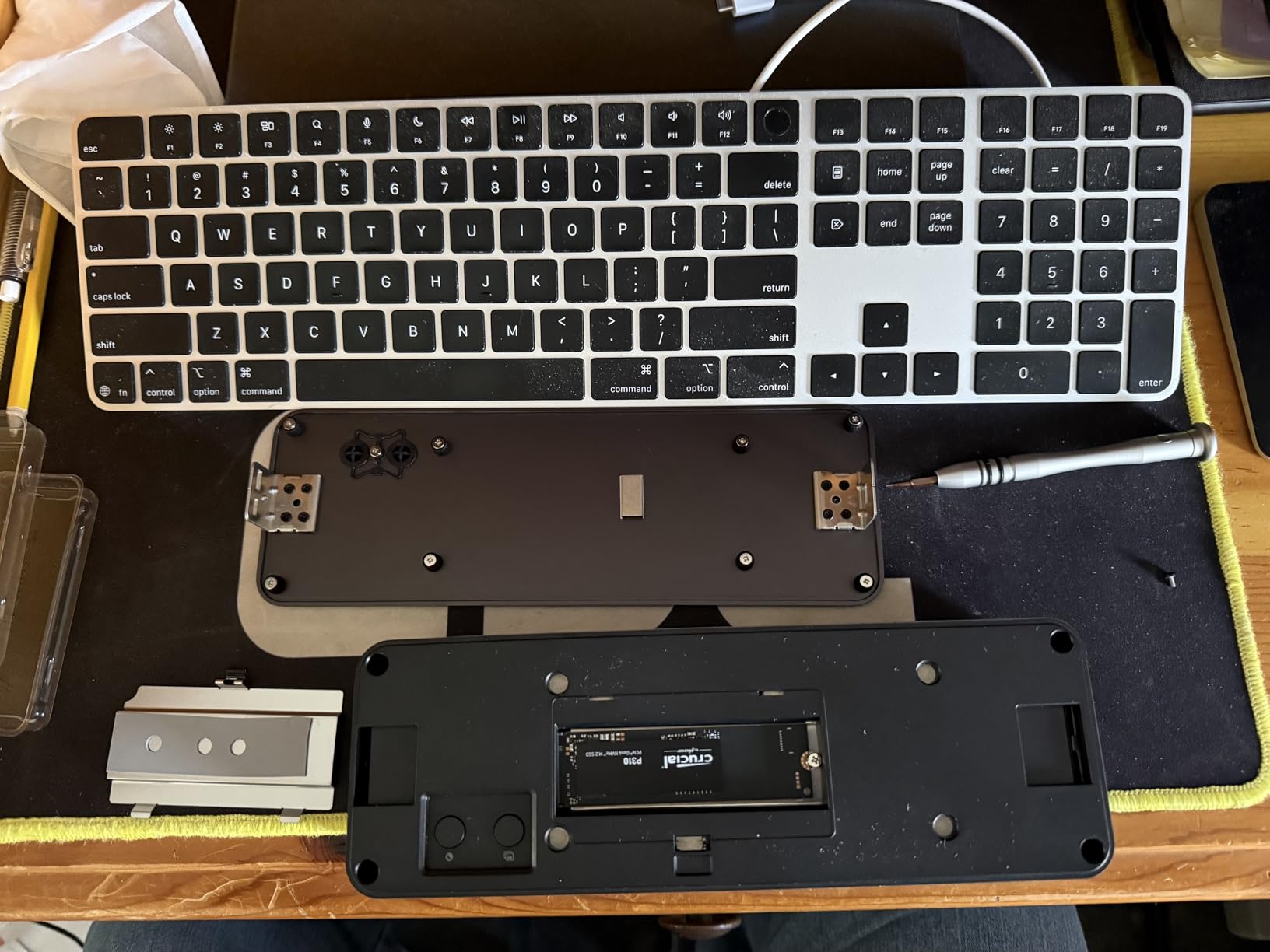
SSD Slot: Built-in, lockable PCIe M.2 (SSD not included)
Functions and Use Cases
Ideal for video editors, graphic designers, and animators who need fast data transfers and multiple displays. The built-in SSD slot allows for secure, high-speed storage expansion directly on the dock. The iPhone Photo Backup button simplifies photo management, and the Focus Mode button helps minimize distractions.
Comparison and Selection Criteria
Compared to other Thunderbolt docks, the EQ Pro offers unique features like the M.2 slot and dedicated buttons. It's specifically optimized for MacBook M-Series, ensuring full performance.
Price Value and Deal
Save $275.12 with this 74% discount. Use MEKIBO15 for an extra 15% off. Free shipping on orders over $45 – this dock qualifies!
Features
Thunderbolt 5 connectivity delivers 80Gbps data transfer and up to 120Gbps for video, enabling smooth 8K/6K workflows.
Built-in and lockable PCIe M.2 SSD slot allows for quick, secure storage expansion – a unique feature for creative pros.
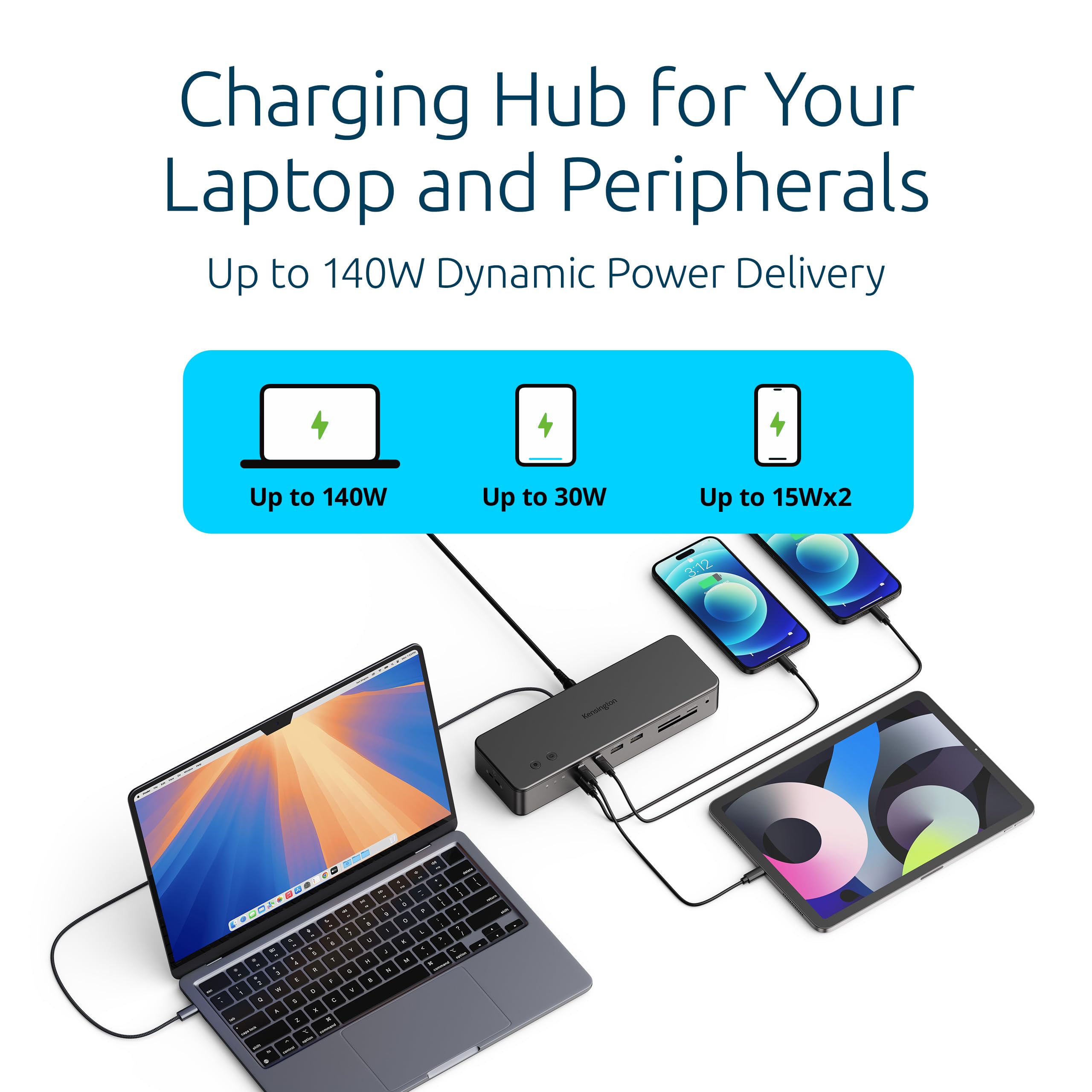
Up to 140W Power Delivery keeps your MacBook charged via a single cable, eliminating multiple power adapters.
Data Transfer Speed: 80Gbps (120Gbps with Bandwidth Boost)
Seller: Mekibo
MPN: EQ Pro Thunderbolt 5 Dock
Product Details
Unleash Your MacBook's Full Potential
With Thunderbolt 5, you get lightning-fast data transfers, high-res display support, and power delivery – all over one cable. The EQ Pro turns your MacBook into a full-fledged workstation.
Built for Professionals
The built-in M.2 SSD slot allows you to keep your files close and secure. Card readers and the dedicated backup button streamline your workflow, making this dock a must-have for creative pros.
Massive Savings
Save $275.12 today. Plus, use MEKIBO15 for an extra 15% off. This is the most cost-effective way to upgrade your setup.
Frequently Asked Questions
How do I install an M.2 SSD in the Kensington SD7100T5 dock?
To install an M.2 SSD, first power off the dock and disconnect all devices. Locate the M.2 slot on the dock, remove the locking screw, and gently insert the M.2 SSD (NVMe or SATA, depending on slot design) at a slight angle. Firmly press it down and secure it with the screw. Reconnect the dock and power on. You may need to format the SSD via your operating system.
How many monitors can the Kensington SD7100T5 support on a MacBook?
On MacBook models with M-Series Pro, Max, or M4 chipsets, the dock supports up to two 6K monitors at 60Hz, or a single 8K monitor at 60Hz. The actual number depends on your MacBook's graphics capabilities.
What is the best M.2 SSD for the Kensington SD7100T5?
The dock supports PCIe M.2 SSDs. For maximum performance, choose an NVMe SSD with speeds up to 10Gbps or higher. Samsung 980 Pro, WD Black SN850X, or Crucial P5 Plus are excellent options. Ensure the SSD is compatible with your data transfer needs.
Why is my M.2 SSD not recognized by the Kensington dock?
First, ensure the SSD is properly seated and locked. Check that the SSD is formatted and initialized. Also, verify that the dock’s firmware is up to date. If the problem persists, try connecting the dock to a different port or restarting your Mac. Consult the user manual for compatibility requirements.
Does the Kensington EQ Pro support 8K on a Mac?
Yes, it supports a single 8K display at 60Hz for MacBook models with M-Series Pro, Max, or M4 chipsets. For dual displays, it supports up to 6K each, providing a high-resolution multi-monitor setup.
4.2★★★★★★★★★★(10)
5 ★5
4 ★3
3 ★1
2 ★1
1 ★0
Customer Photos
10
Customer Reviews
10
★★★★★★★★★★5.0
h***o
Verified
Incredible dock, worth every penny
This dock is a game-changer. It charges my MacBook Pro at full speed, connects all my peripherals, and the M.2 SSD slot is a brilliant addition for extra storage. The 19 ports mean I can have everything plugged in. It's pricey, but for professionals, it's worth it.
★★★★★★★★★★4.0
d****b
Verified
Great dock, but a bit bulky
The dock works flawlessly with my MacBook, provides 140W charging, and the SSD slot is handy. However, it's large and heavy, taking up desk space. I wish it were more compact. Still, it's a solid product.
★★★★★★★★★★5.0
d****p
Verified
Perfect for my MacBook Pro
I use this dock daily with my M3 Max MacBook Pro. It delivers the full 140W charging, supports 80Gbps data transfer for my monitor, and the SSD slot is a lifesaver for backup. The build quality is excellent, and the lockable SSD slot is a nice security touch.
★★★★★★★★★★3.0
v**z
Verified
Overpriced for what it does
The dock works fine, but I don't see the value of Thunderbolt 5 yet. There are cheaper alternatives. It is well-built, but for a home user, it's overkill.
★★★★★★★★★★5.0
m****h
Excellent expansion for creatives
As a video editor, this dock is a must-have. The 80Gbps data rate is perfect for my high-speed SSD, and the M.2 slot lets me add more storage. The 140W charging keeps my MacBook at 100%. Highly recommend.
★★★★★★★★★★4.0
f****k
Verified
Good dock, but the fan is a bit loud
The dock is powerful and has all the ports I need. However, the internal fan is audible and can be annoying in a quiet office. It's not a dealbreaker, but something to consider.
★★★★★★★★★★5.0
g****g
Verified
Future-proof investment
With Thunderbolt 5, this dock is ready for the future. It works with my Thunderbolt 4 MacBook, but will also support newer models. The SSD slot is genius, and the build quality is top-notch.
★★★★★★★★★★2.0
x*o
Verified
Disappointed
I had high hopes, but the dock kept disconnecting randomly. I updated the firmware, but the issue persisted. I had to return it. Maybe I got a defective unit.
★★★★★★★★★★5.0
q**p
The best dock I've owned
I've tried many docks, and this is the most reliable. It powers my MacBook, connects two 4K monitors, and the SSD slot is a bonus. The design is sleek, and the cable is long enough. Worth the price.
★★★★★★★★★★4.0
d*j
Almost perfect
It's a great dock, but the placement of the power button is awkward. The SSD slot is a nice feature, but the drive gets warm under heavy load. Otherwise, it's a solid performer.